> For the complete documentation index, see [llms.txt](https://docs.layerlens.ai/llms.txt). Markdown versions of documentation pages are available by appending `.md` to page URLs; this page is available as [Markdown](https://docs.layerlens.ai/7.-observe-see-whats-happening/synthetic-data.md).

# Synthetic data

Generate realistic, multi-agent synthetic traces — from your own traces, a built-in industry scenario, or a saved definition — in LayerLens.

Synthetic data generation *creates* realistic agent traces so you can build evaluation datasets without waiting to collect production traffic. Use it to:

* **Bootstrap** — get a full dataset when you have no traces yet
* **Expand / vary** — turn a handful of real traces into a larger, more diverse set
* **Build golden datasets** — domain-specific traces for testing graders and evaluations

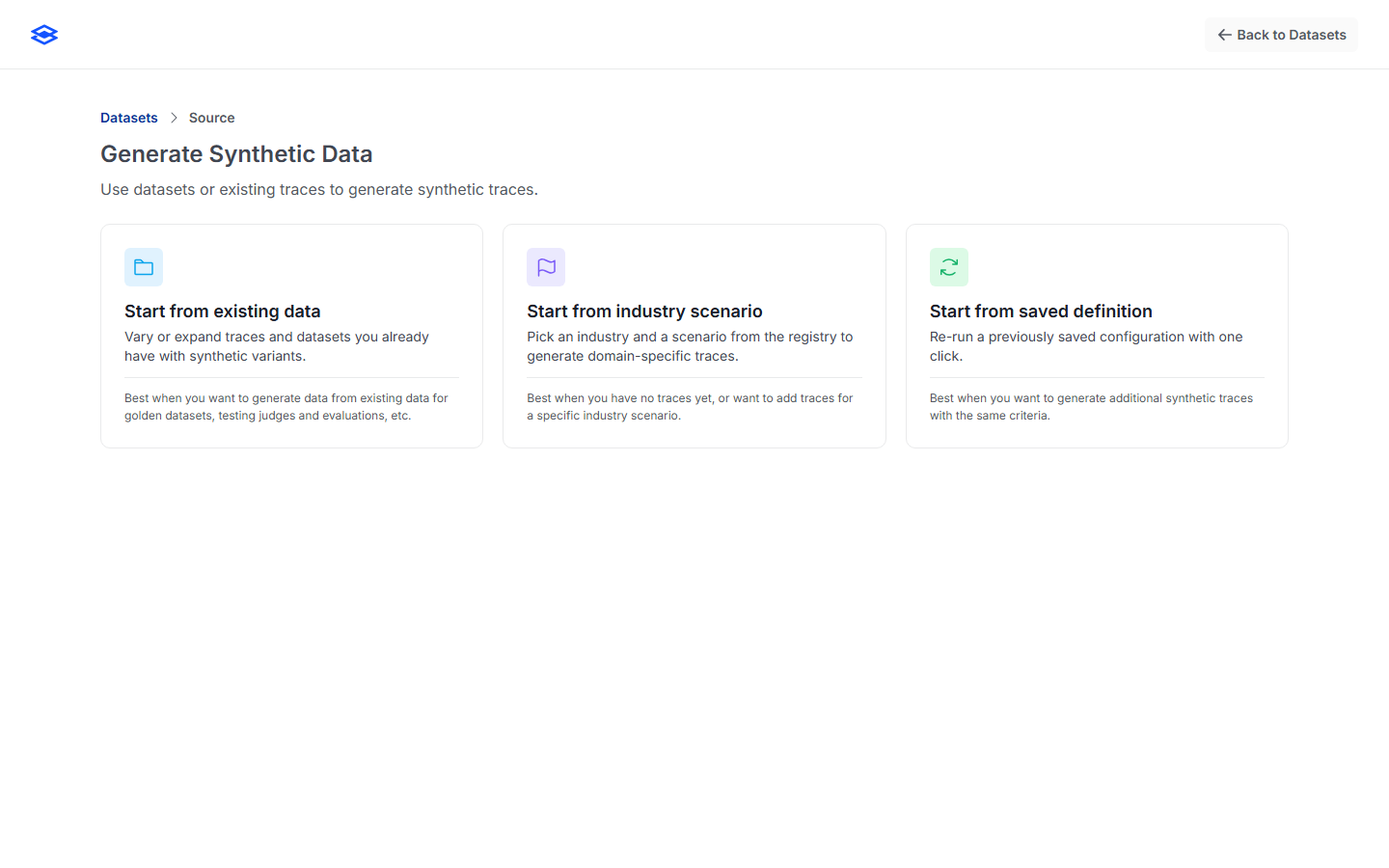
Start from **Traces → Generate synthetic traces**. The wizard has three steps: **Source**, **Data selection**, and **Configure**.

<figure><img src="https://959590145-files.gitbook.io/~/files/v0/b/gitbook-x-prod.appspot.com/o/spaces%2FEmwhCkSdJxJOKLk0NmTB%2Fuploads%2Fgit-blob-e959afe8d941bc820468e2982ad6a040d6278d5e%2Fsource.png?alt=media" alt="The synthetic source picker with three cards: start from existing data, industry scenario, or saved definition"><figcaption><p>Step 1 — choose where the synthetic data is seeded from.</p></figcaption></figure>

## Step 1 — Choose a source

### Start from existing data

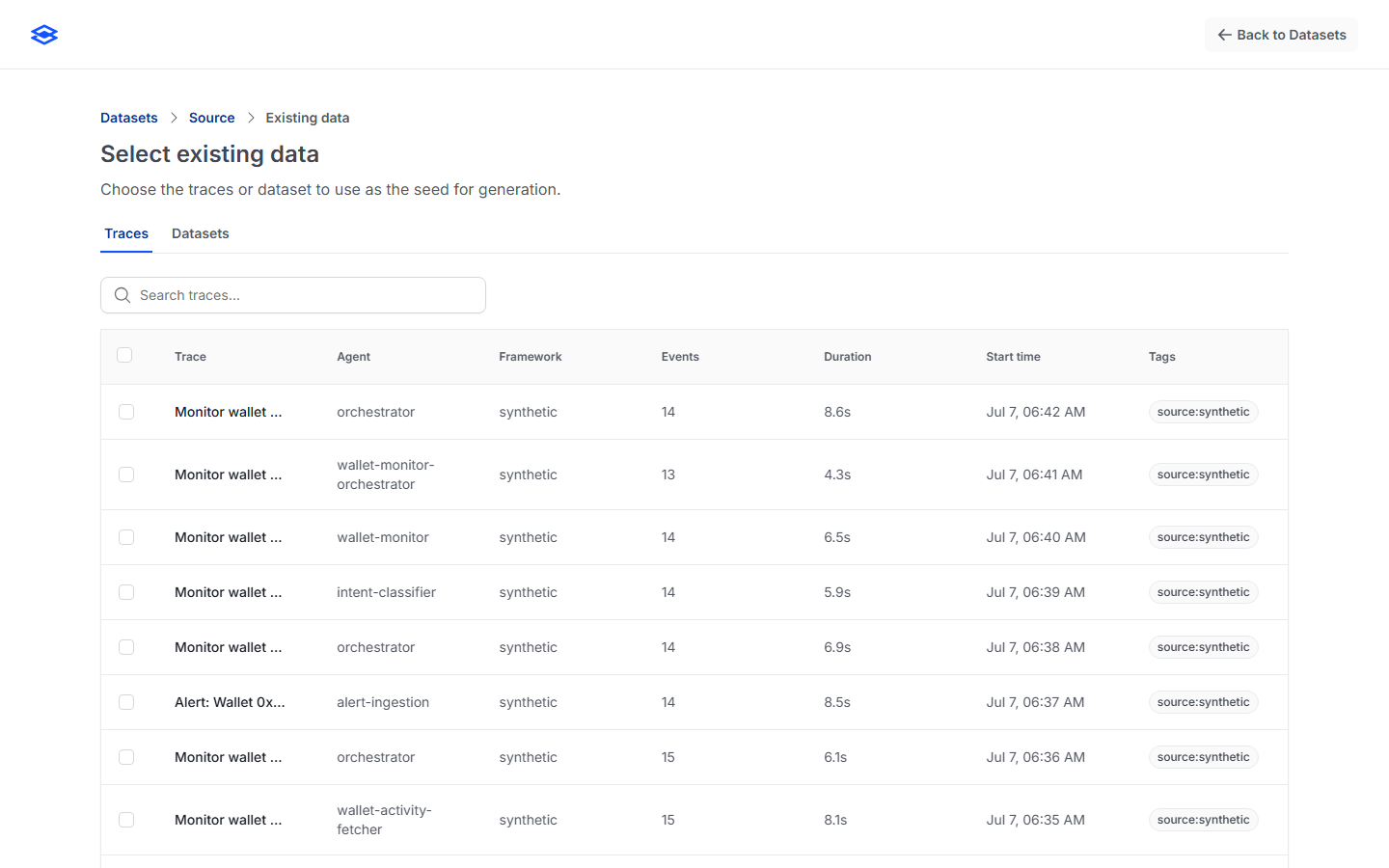
Vary or expand traces you already have. Pick the **traces** to use as the seed (filter by tag to narrow the list); the generator produces synthetic variants that preserve intent while adding diversity. Best for golden datasets and for growing a small real set.

<figure><img src="https://959590145-files.gitbook.io/~/files/v0/b/gitbook-x-prod.appspot.com/o/spaces%2FEmwhCkSdJxJOKLk0NmTB%2Fuploads%2Fgit-blob-fd410dc995133766f81ee0d277c8691e95839acb%2Fselect-existing.png?alt=media" alt="Selecting existing traces as the generation seed"><figcaption><p>Seed from existing traces.</p></figcaption></figure>

### Start from industry scenario

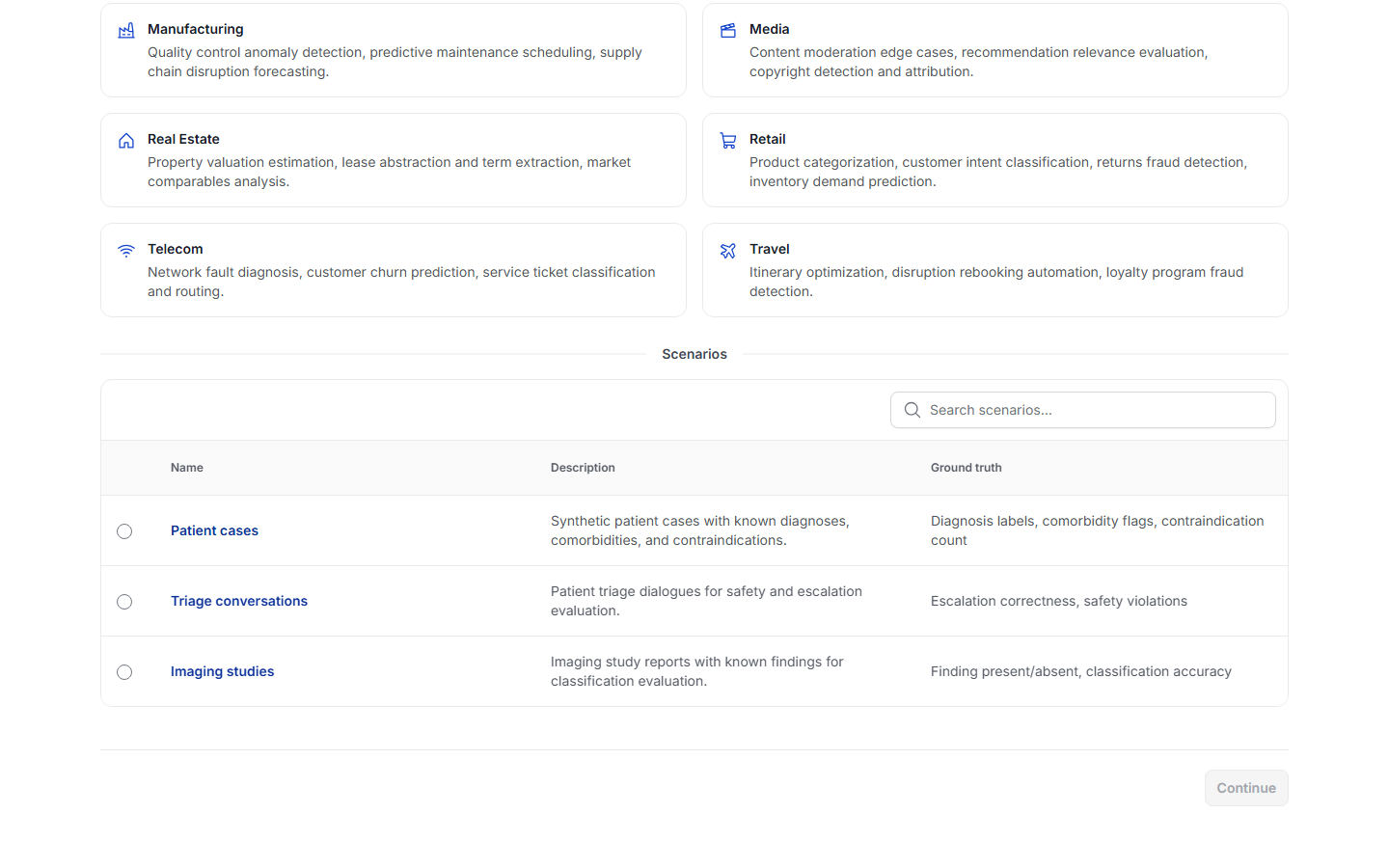
Pick an industry and a scenario from the built-in registry to generate domain-specific traces — **14 industries** (healthcare, financial services, legal, insurance, retail, media, manufacturing, energy, real estate, travel, government, education, telecom, crypto) spanning **30 scenarios**. Best when you have no traces yet or want coverage for a specific domain.

<figure><img src="https://959590145-files.gitbook.io/~/files/v0/b/gitbook-x-prod.appspot.com/o/spaces%2FEmwhCkSdJxJOKLk0NmTB%2Fuploads%2Fgit-blob-88f7e3c984ee4ed373d8ddce0d7ded439821369b%2Fselect-industry.png?alt=media" alt="Choosing an industry and one of its scenarios"><figcaption><p>Pick an industry, then a scenario, each with a description and ground truth.</p></figcaption></figure>

### Start from saved definition

Re-run a previously saved generation **definition** with one click. A definition captures the source, shaping prompt, quality, count, and destination so a run is reproducible. (This card is disabled until you've saved at least one definition — see [Save as a reusable definition](#save-as-a-reusable-definition).)

## Step 2 — Configure & Generate

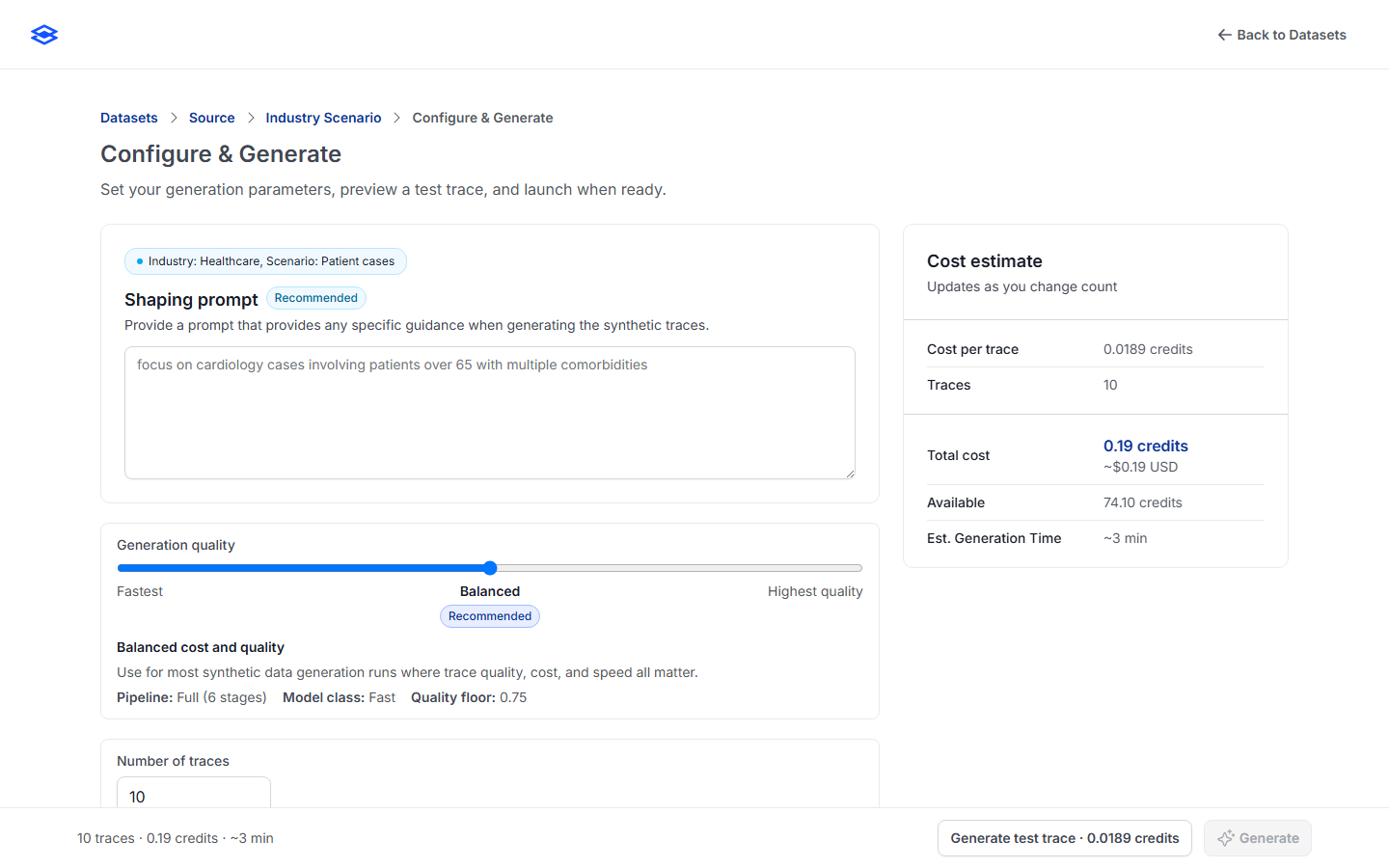
<figure><img src="https://959590145-files.gitbook.io/~/files/v0/b/gitbook-x-prod.appspot.com/o/spaces%2FEmwhCkSdJxJOKLk0NmTB%2Fuploads%2Fgit-blob-93e22e83dbce91d7a2349fc959aa78ffa4f1d280%2Fconfigure.png?alt=media" alt="The Configure and Generate step: shaping prompt, generation quality, number of traces, and the live cost estimate"><figcaption><p>Configure the run and preview cost before generating.</p></figcaption></figure>

* **Shaping prompt** *(recommended)* — free-text guidance that steers the run (e.g. *"focus on cardiology cases involving patients over 65 with multiple comorbidities"*). Up to 10,000 characters.
* **Generation quality** — a three-stop slider (see the table below).
* **Number of traces** — 1–10,000, with quick presets (1, 10, 25, 50, 75, 100, 1,000). Default 10.
* **Destination** — generated traces land in the Traces list; add **tags** to group them.
* **Cost estimate** — a live panel showing cost per trace, total credits (and \~USD), available credits, and estimated generation time; it updates as you change the count and warns before an expensive run.

### Generation quality tiers

| Tier                         | Model class           | Quality floor | Use it for                                                                     |
| ---------------------------- | --------------------- | ------------- | ------------------------------------------------------------------------------ |
| **Fastest**                  | Fast (haiku-class)    | 0.60          | High-volume runs where volume matters more than per-trace nuance; lowest cost. |
| **Balanced** *(recommended)* | Fast (sonnet-class)   | 0.75          | Most runs — quality, cost, and speed all matter. The default.                  |
| **Highest quality**          | Frontier (opus-class) | 0.85          | Production-grade datasets and sensitive evaluations where precision leads.     |

Cost scales with the tier (roughly 5× from Fastest to Highest per trace); the cost panel always shows the exact estimate before you commit.

### Preview a test trace

Before launching the full run, click **Generate test trace** to produce a single preview scored on a four-part rubric — **correctness, coverage, plausibility, safety** (0–1 each) — so you can sanity-check quality and shaping before spending credits on the whole batch.

### Save as a reusable definition

Toggle **Save as reusable definition**, give it a name, and the run's configuration is saved. It then appears under **Start from saved definition** for one-click reruns.

## Generating

Clicking **Generate** enqueues an asynchronous job and opens a live progress screen (traces generated, credits consumed, estimated time remaining). Generation runs server-side — you can navigate away or close the page; LayerLens emails you when it finishes.

* **Cancel generation** stops the run and preserves everything generated so far; the results are marked **partial**.
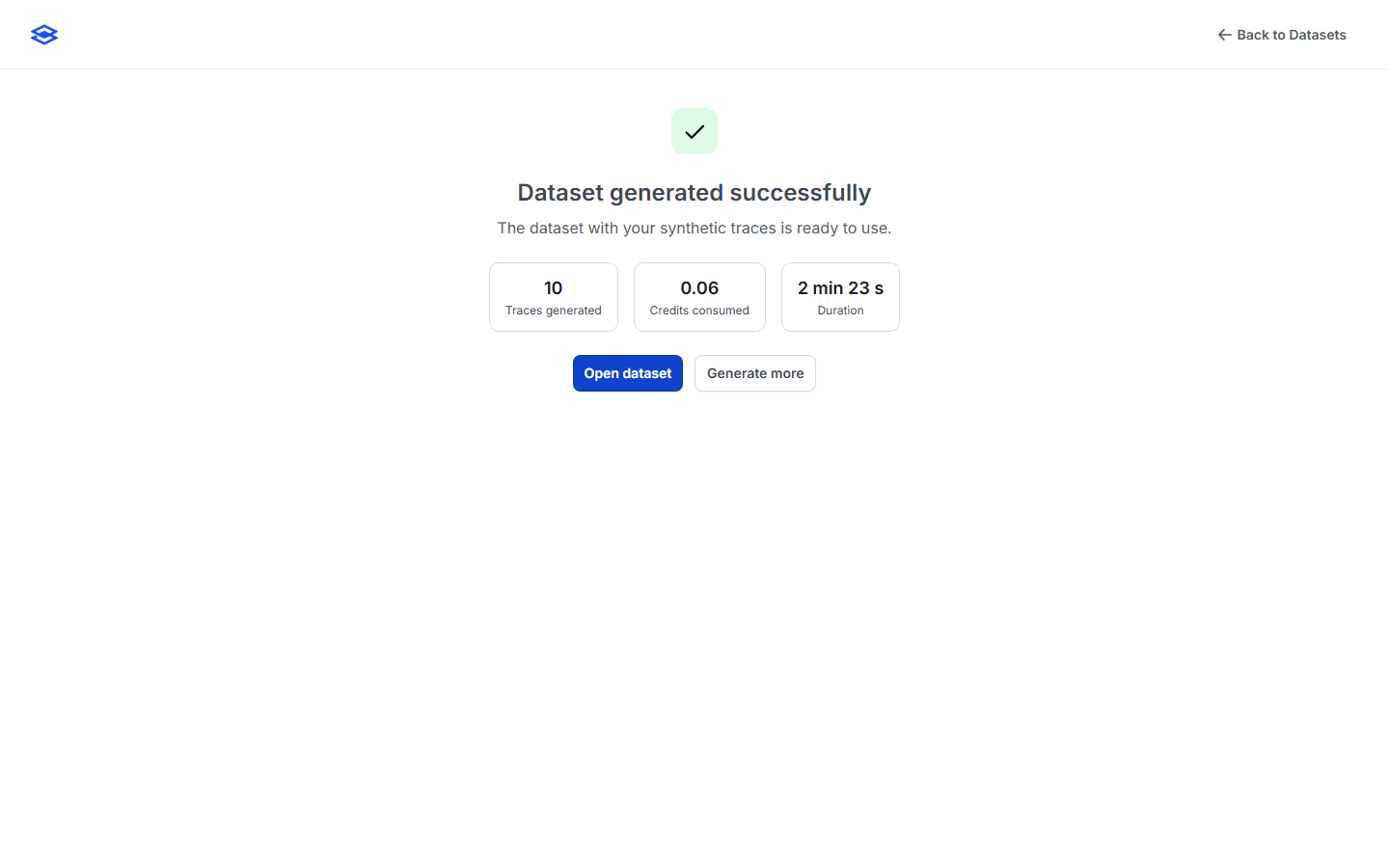
* On completion you land on a terminal screen: **View traces**, or **Generate more**.

<figure><img src="https://959590145-files.gitbook.io/~/files/v0/b/gitbook-x-prod.appspot.com/o/spaces%2FEmwhCkSdJxJOKLk0NmTB%2Fuploads%2Fgit-blob-0eba202f1422a27b2dd4a127918e9e66803f38fd%2Fjob-success.png?alt=media" alt="A completed synthetic generation job showing traces generated, credits consumed, and duration"><figcaption><p>A finished generation job.</p></figcaption></figure>

## What you get

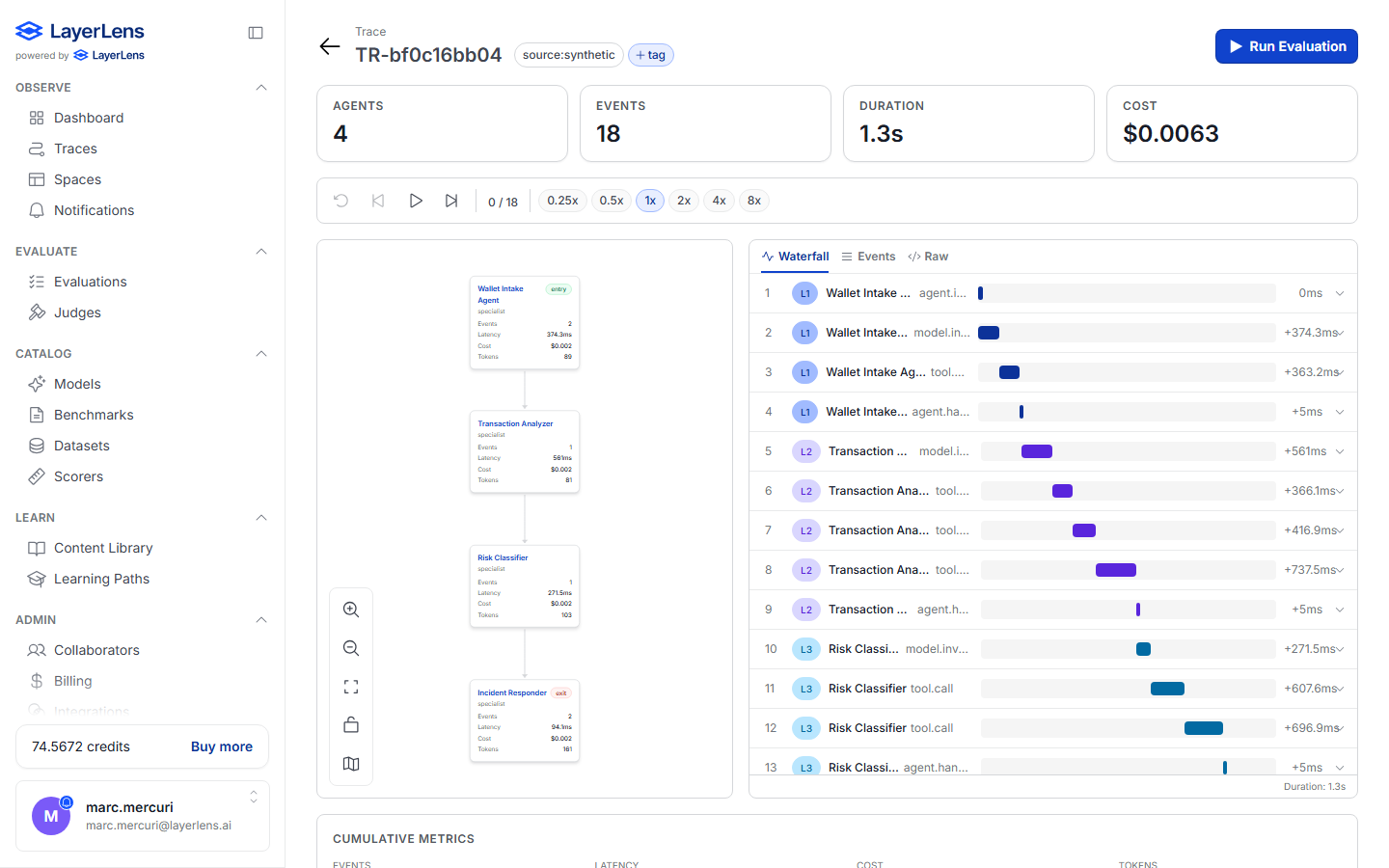
Generated traces are full, structured **multi-agent traces** — not flat text. They render in the trace inspector as an agent graph (distinct agents, hand-offs, tool calls) with a per-event waterfall, exactly like ingested production traces, and are immediately usable in evaluations.

<figure><img src="https://959590145-files.gitbook.io/~/files/v0/b/gitbook-x-prod.appspot.com/o/spaces%2FEmwhCkSdJxJOKLk0NmTB%2Fuploads%2Fgit-blob-1dc47cf6b9bfd7c1240559db70afb3dad1ad8b72%2Fgenerated-trace-agent-graph.png?alt=media" alt="A generated synthetic trace rendered as a multi-node agent graph with a waterfall timeline"><figcaption><p>A generated trace — a real multi-agent graph (4 agents, 18 events) with waterfall timing.</p></figcaption></figure>

## Cost & limits

* Generation consumes **credits**; the cost panel shows the estimate up front.
* A single job is capped at **1,000 credits**; runs above \~100 credits show a soft warning.
* Trace count is capped at **10,000** per run.
* Submitting a generation job requires an **Owner** or **Admin** role in the organization.

## Where to next

* [Traces](/7.-observe-see-whats-happening/traces.md) — browse and tag the results
* [Trace evaluations](/8.-evaluate-score-the-outputs/trace-evaluations.md) — score the generated traces
* [Guide: Build a trace set for agentic evals](/more-in-this-section-5/build-trace-set.md)